

Table of Contents
- Best Model Train Layout Software: Quick Comparison
- Model Railroad Track Planning Software: What Actually Matters
- XTrackCAD: Free, Deep, and Windows-First
- Free Model Train Layout Software: Where the Free Tiers Stop
- 3D Model Train Layout Planner: When a Preview Saves You Rebuilding
- From Room Measurements to Build-Ready Plan: A Practical Workflow
- Conclusion
- Frequently Asked Questions
Last Updated: October 8, 2026
Best Model Train Layout Software: Quick Comparison
The best model train layout software is the one that matches your scale, space, and skill level, not the one with the longest feature list. Since 2008, we have watched too many beginners buy complicated tools they never open twice. This guide compares what actually matters: track libraries, scale support, 3D preview, cost, and how quickly you can go from an empty room to a printable track plan. Below, we break down the real strengths and limits of each option so you can pick with confidence.
The model train layout software market splits into two camps: free desktop programs built by hobbyists, and paid or web-based planners with polished interfaces. Both can produce a build-ready plan. The difference is how much patience you have for a learning curve.
| Software | Price | Platform | Scale Support | Best For |
|---|---|---|---|---|
| XTrackCAD | Free | Windows, macOS, Linux | N, HO, O and more | Budget planners who want depth |
| Web-based planners | Free tier + paid | Browser | Common scales | Beginners, quick sketches |
| Paid desktop CAD | Paid license | Windows, macOS | Broad | Complex custom layouts |
Feature and Price Comparison Table
Pricing in this category shifts often, so treat any figure you see online as a starting point and check the vendor’s site before you commit. What stays stable is the trade-off: free tools ask for your time, paid tools ask for your money.
- XTrackCAD: free, open-source, huge track library, steeper learning curve
- Web-based planners: free tiers with export limits, easiest to learn
- Paid desktop CAD: full 3D modeling, best for large custom layouts
Before downloading anything, measure your room and write down your minimum curve radius. Most planning frustration comes from designing a layout that physically will not fit, not from the software itself.
Model Railroad Track Planning Software: What Actually Matters
Model railroad track planning software is a program that lets you draw track centers, place turnouts, and test whether your trains will actually run without derailing. The features that matter most are track geometry accuracy and scale support. A planner that draws pretty curves but ignores real turnout dimensions will send you back to the workbench.
Track Libraries, Scale Support, and Geometry
A track library is the collection of track pieces, turnouts, and crossings a program lets you place. The best libraries match real product lines, so your plan translates directly to parts you can order.
Scale support matters just as much. If you model in N scale, you need a planner that understands N scale curve radius and track spacing. HO and O scale modelers need the same accuracy at their dimensions.
Three things separate a usable planner from a frustrating one:
- Track geometry: curves, turnouts, and crossings drawn to real dimensions
- Clearance checks: the program warns you when tracks sit too close
- Printable output: a plan you can tape to the benchwork and build from
According to the National Model Railroad Association standards and recommended practices, consistent track and wheel standards are what keep trains running reliably across different manufacturers. Good planning software respects those standards.
XTrackCAD: Free, Deep, and Windows-First
XTrackCAD is a free, open-source model train layout software package that has been maintained by hobbyists for years. It runs on Windows, macOS, and Linux, and it ships with an extensive track library covering N, HO, O, and other scales. The trade-off is a learning curve that rewards patience.
What most guides miss is that XTrackCAD’s strength is precision, not speed. You can define custom track pieces, run train simulations along your plan, and check clearances before you cut a single piece of lumber. For a hobbyist planning a complex multi-loop layout on a budget, that depth is hard to beat.
Where it falls short: the interface feels dated, and beginners often need a tutorial or two before the first plan makes sense. If you want something you can learn in an afternoon, this is not it.
Free Model Train Layout Software: Where the Free Tiers Stop
Free model train layout software usually means one of three things: a fully free open-source program, a paid tool with a limited free tier, or a free viewer that only opens files someone else made. Knowing which one you are using saves a lot of frustration later, because the limits show up at very different points in the workflow.
Open-source, free forever. XTrackCAD is released under an open-source license, which means there is no account, no export cap, and no feature held back behind a paywall. You can print, save, and share plans without paying anything. The cost is your time: the interface is dated and the learning curve is real.
Freemium web planners. Most browser-based planners let you sketch a layout for free, then charge when you want to export, print, or use 3D preview. The free tier is genuinely useful for testing whether a loop fits your room, but it is a sketchpad, not a build tool.
Free viewers. Some vendors offer a free reader that opens plans created in the paid version. That is handy for reviewing someone else’s design, but it will not let you draw your own.
Before you invest hours in a free tier, check these limits:
- Export and print: Can you get a printable plan out, or is that locked behind a paywall? A plan you cannot print is a plan you cannot build from.
- File count and piece count: How many layout files or track pieces does the free version allow before it stops you?
- 3D preview: Is 3D included, or is it a paid-only feature? This matters most for multi-level layouts.
- File ownership and portability: If you stop paying, can you still open your saved plans? Can you export to a neutral format, or are you locked into the vendor’s file type?
- Account and cloud storage: Does the free tier require an account, and does it store your work on the vendor’s servers or locally on your machine?
- Commercial use: If you plan layouts for a club or a paying client, check whether the free license permits it.
A free tier that blocks printing is nearly useless for building. You can plan a beautiful layout and then discover you cannot get it onto paper without upgrading. Check export and print limits before you start, not after you have drawn forty feet of track.
The honest summary: open-source tools trade money for time, and freemium tools trade time for money. Neither is wrong. Pick the trade you would rather make.
3D Model Train Layout Planner: When a Preview Saves You Rebuilding
A 3D model train layout planner shows your track plan as a three-dimensional scene, so you can spot problems before you build. The biggest one is clearance: bridges, tunnels, and multi-level track that look fine in 2D can collide in real life.
For a simple flat loop, 2D planning is enough. For anything with elevation changes, a helix, or stacked levels, 3D preview pays for itself. It is far cheaper to fix a clash on screen than to tear apart benchwork.
Desktop vs Web-Based Tools and Hardware Requirements
Desktop applications like XTrackCAD run locally and need a reasonably current computer, but they work offline and handle large layouts well. Web-based planners run in a browser, need a steady internet connection, and often struggle with very complex plans.
Here is how to choose:
- Desktop: best for large, complex layouts and offline work
- Web-based: best for quick sketches, sharing, and beginners
- Hardware: check the operating system and memory requirements before you commit
From Room Measurements to Build-Ready Plan: A Practical Workflow
A build-ready plan comes from measuring first and designing second, not the other way around. Here is the workflow we recommend.
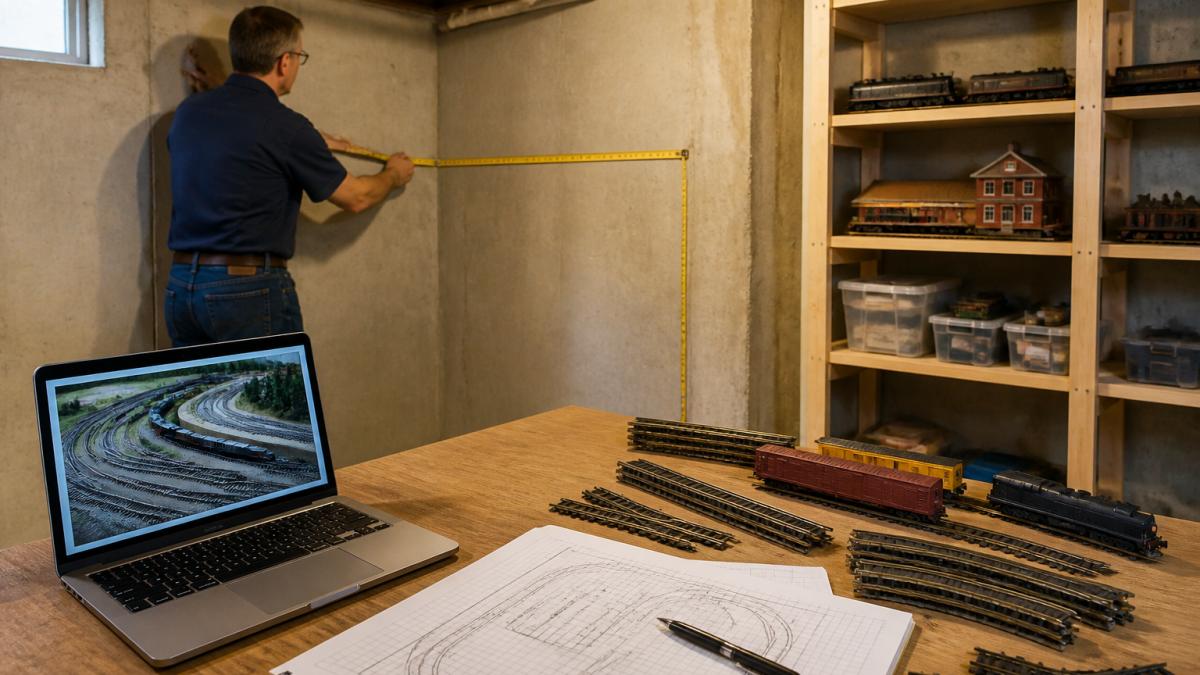
- Measure the room. Note walls, doors, windows, and any obstructions.
- Set your minimum curve radius. Larger radii run better and look more realistic.
- Sketch a rough loop or point-to-point plan on paper before opening software.
- Draw the plan to scale in your chosen program.
- Check clearances and turnouts using the software’s warnings.
- Preview in 3D if your layout has elevation changes.
- Print the plan and tape it to your benchwork before laying track.
Measure twice, plan once, build last. The hour you spend checking clearances in software saves days of rework on the benchwork.
Conclusion
Planning a layout is where enthusiasm meets reality, and the right software makes that meeting far less painful. Whether you choose a free open-source planner or a paid tool, the goal is the same: a plan you can actually build. When you are ready to move from screen to benchwork, BYMRR stocks the locomotives, track, and accessories to bring your layout to life, backed by free shipping, a money guarantee, and 24/7 support. Start your build with BYMRR and turn your plan into a running railroad.
Frequently Asked Questions
Is there a free app for designing model train layouts?
Yes. XTrackCAD is free and open source, and several paid model railroad track planning software tools offer free tiers with limits on track libraries, export options, or 3D preview. Free versions usually cover a simple loop or small switching layout. Once you need a larger custom layout, printable plans, or 3D preview, you will likely hit a paywall or export restriction. Start free, then upgrade only when a specific limit blocks your plan.
Is XTrackCAD free?
XTrackCAD is free and open source, which is why it keeps appearing in forum threads about the best model train layout software. It runs on Windows, macOS, and Linux, supports HO, N, and O scale track libraries, and handles turnouts, curve radius, and track spacing. The trade-off is a steeper learning curve and an interface that feels dated next to web-based planners. It suits hobbyists who want depth and do not mind reading documentation to get there.
Can model train layout software show a 3D preview?
Many paid tools include a 3D model train layout planner view, and some free options offer limited 3D or none at all. A 3D preview shows whether a curve radius clears a building, how benchwork height feels, and where a turnout creates a reach problem before you cut any wood. It is most valuable on small room-sized layouts where clearance and access decide the design. Check the free tier carefully, since 3D preview is often the first feature locked behind payment.
Can you design a model train layout on a tablet or phone?
Web-based planners run in a browser, so a tablet can work for sketching a track plan and dragging track pieces into place. Precision work like setting curve radius, track spacing, and clearance is still easier with a mouse on a desktop application. Most serious model railroad track planning software is desktop-only for Windows or macOS. A practical split is to sketch on a tablet, then finish the build-ready plan on a computer.