
How Can Multiple Trains Run on the Same Track?
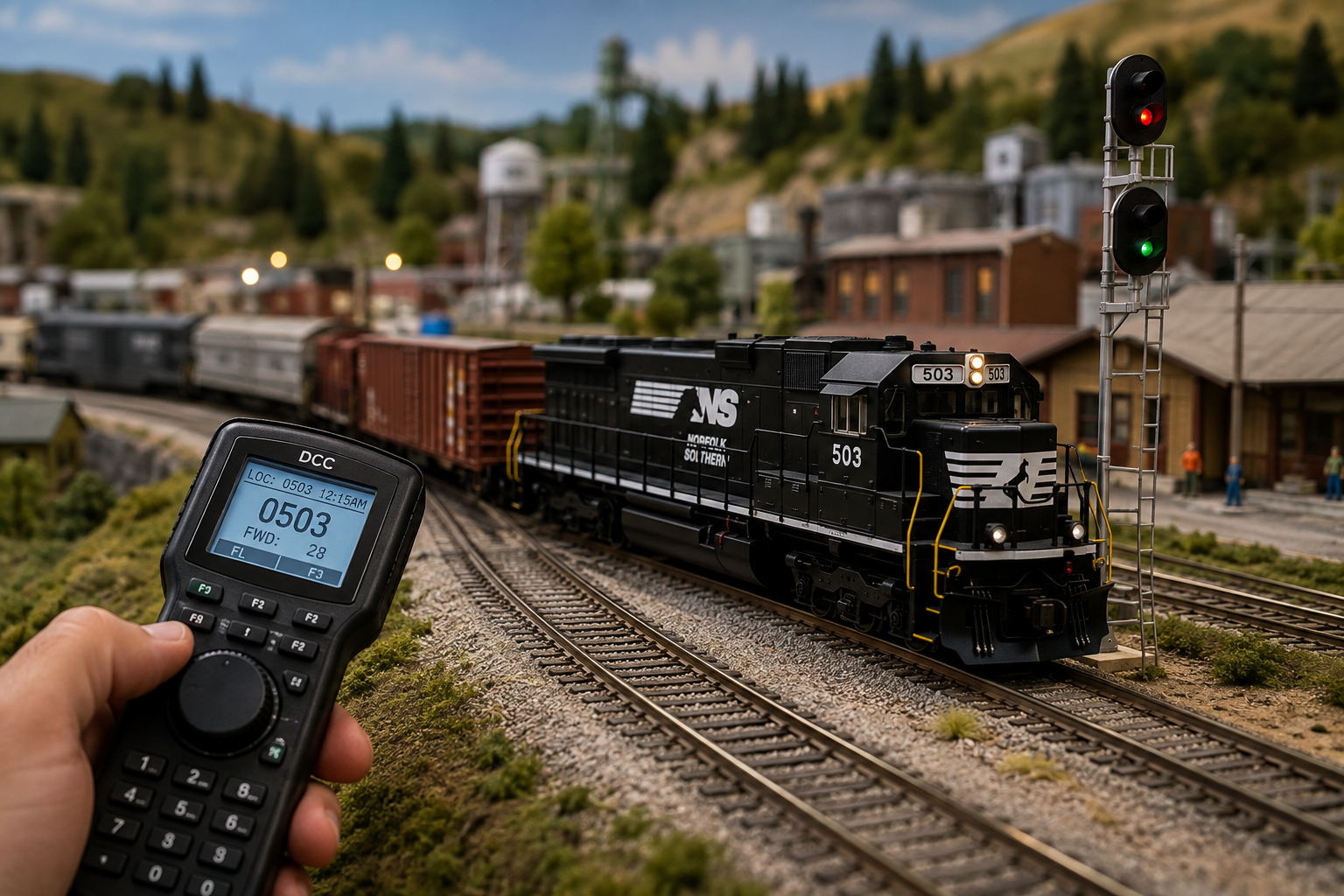
Running two or more engines on one track used to need lots of complex switches and cut rails. Modern digital control changed that by sending power and signals down the rails together. Every engine sits on active track, but each engine only answers its own commands. Learning how to control multiple dcc model trains on one track brings real fun to your layout, letting you park one train while another passes by on the main line.
At BYMRR Train Store, we help people run multi-train setups every day. We know the joy of seeing two engines cross paths under your full control. Setting this up is simple once you see how small receiver chips listen to your main controller.
Let us look at the easy steps that make running many trains smooth and fun for any layout.
Setting Unique Numbers for Your Engines
Every digital train has a small receiver chip built inside it. Your main controller sends signals to all trains, but each chip only listens to its own code number. Most new engines come from the factory set to number 3. Giving each engine its own number keeps your controls separated.
Changing these numbers stops two engines from moving at the same time:
- Put One Train on Track: Place just one engine on your test track so you do not change other trains by mistake.
- Pick the Cab Number: Set the number to match the road number printed on the side of your train car.
- Test the New Control: Move the train to your main track and type its new number into your hand controller.
- Check Lights and Sound: Turn on the headlight and ring the bell to make sure the engine listens to you.
Are Extra Controllers Needed for More Trains?
You do not need extra main boxes to run many engines at once. One central controller sends signals to your whole track network all day long. But trying to steer two trains going opposite ways with one control knob can get confusing fast.
Adding extra hand controllers to your main box gives each person their own remote. One person can move freight cars in the yard while another person drives a passenger train on the main loop using a second hand controller plugged into the same main box.
Simple Wiring Rules for Clean Track Signals
Digital signals travel through rails as quick electrical pulses. Bad connections, dirty rails, or loose track pieces scramble these signals, making engines stop or miss your commands. Keeping clean wire paths is essential when running several dcc model trains together.
Good wiring keeps signals strong all around your layout:
- Run Thick Main Wires: Put two thick copper wires under your layout board along the track path.
- Add Small Feeder Wires: Solder small drop wires from the rails down to your main wires every three feet.
- Keep Wire Ends Open: Do not tie the ends of your main wires into a loop to keep signals clear.
- Use Insulated Track Joints: Put plastic track joiners on track loops to stop short circuits instantly.
Following these steps keeps track power steady. Even a heavy model steam train with sound and smoke will run smooth alongside modern diesel engines without dropping signals.
Linking Engines Together to Pull Heavy Loads
Sometimes one engine is not strong enough to pull a long freight train up a hill on your layout. Digital setups let you link two or more engines together so they act as one single team.
This grouping trick tells your main controller to move two or three engines using one speed knob. The back engine pushes while the front engine pulls, matching speeds so train cars do not pop off the rails. When a classic model steam train needs extra help on a hill, grouping engines makes the run smooth and realistic.
Get Simple Track Support from the BYMRR Crew
Running many trains at once brings your layout to life, but setting up wires and numbers can raise easy questions along the way. Our team is ready to help you through every step of your build.
Need help picking controllers, setting engine numbers, or placing track wires? Connect directly with us through our main site at BYMRR Train Store. We answer your questions, supply reliable gear, and give clear advice so you can run your layout with confidence.
Common Questions And Answer About DCC Model Trains
What happens if two trains share the same engine number?
Both trains will respond to your control movements at the exact same time. If you turn the speed knob up, both engines speed up together. Giving distinct numbers to each engine gives you independent control over every train on your layout.
Can I run an old train alongside digital trains on the same track?
Some control systems let you run one old DC train on number 00. But leaving older train motors sitting on digital track makes their motors get hot fast. Putting a small digital chip inside the old engine is always the safest path.
Do I need separate track sections to run digital trains?
Separate track cuts are not needed for basic engine movement on digital layouts. But dividing big layouts into separate power zones with circuit breakers keeps a small track problem from stopping every train on your table.
Why does one train stop while other trains keep running fine?
A single train stopping usually means dirty track or dirty train wheels. Clean the top of the rails with a soft cleaning block and wipe the train wheels clean to restore smooth signal flow between your controller and the engine.